Machine registry and QR
Models come from a shared registry; your machines are yours alone, identified by serial. A QR scan opens the right machine on the first try.
Heavy equipment operations
Smartop puts the pre-work inspection, the meter reading and the manager's approval into a single flow on the operator's phone. Work does not begin without them — and nothing is lost when the site has no signal.
Android and web. Per-company subscription.
A hydraulic leak caught on Monday is a hose. The same leak found on Friday is a pump, a day of downtime, and an operator standing next to a machine that will not move.
Paper checklists do not fail loudly. They get filled in at the end of the shift from memory, or not at all, and nobody finds out until something breaks. Hours go onto a whiteboard, then into a spreadsheet, and end up disagreeing with the meter.
Smartop turns that check from a form into a precondition. A partial checklist cannot be submitted, the reading is entered in the machine's own unit, and the manager sees the result before work begins.
The same sequence on every machine, in the same order, recorded the same way.
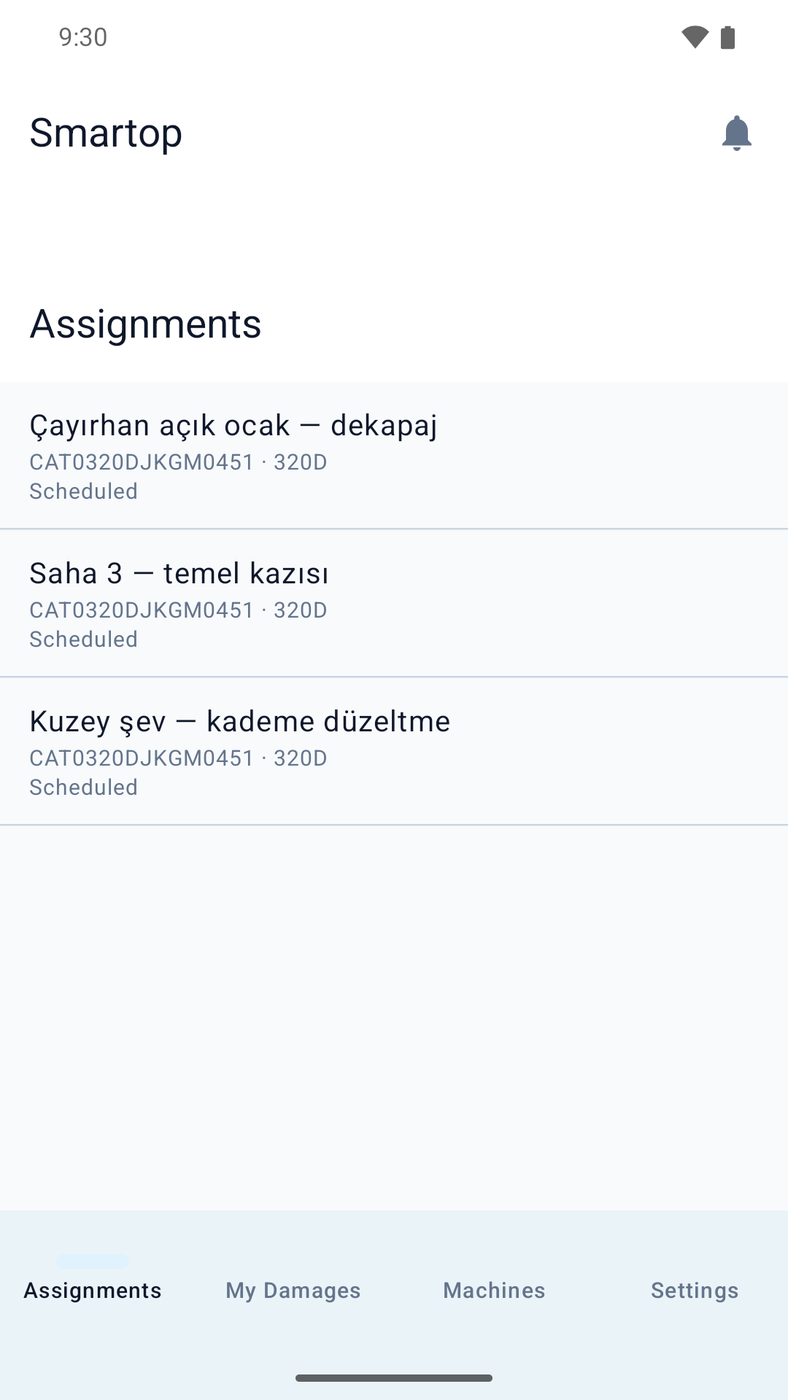
Today's work, the machine and the scheduled window are already on the phone. No phone call, no paper.
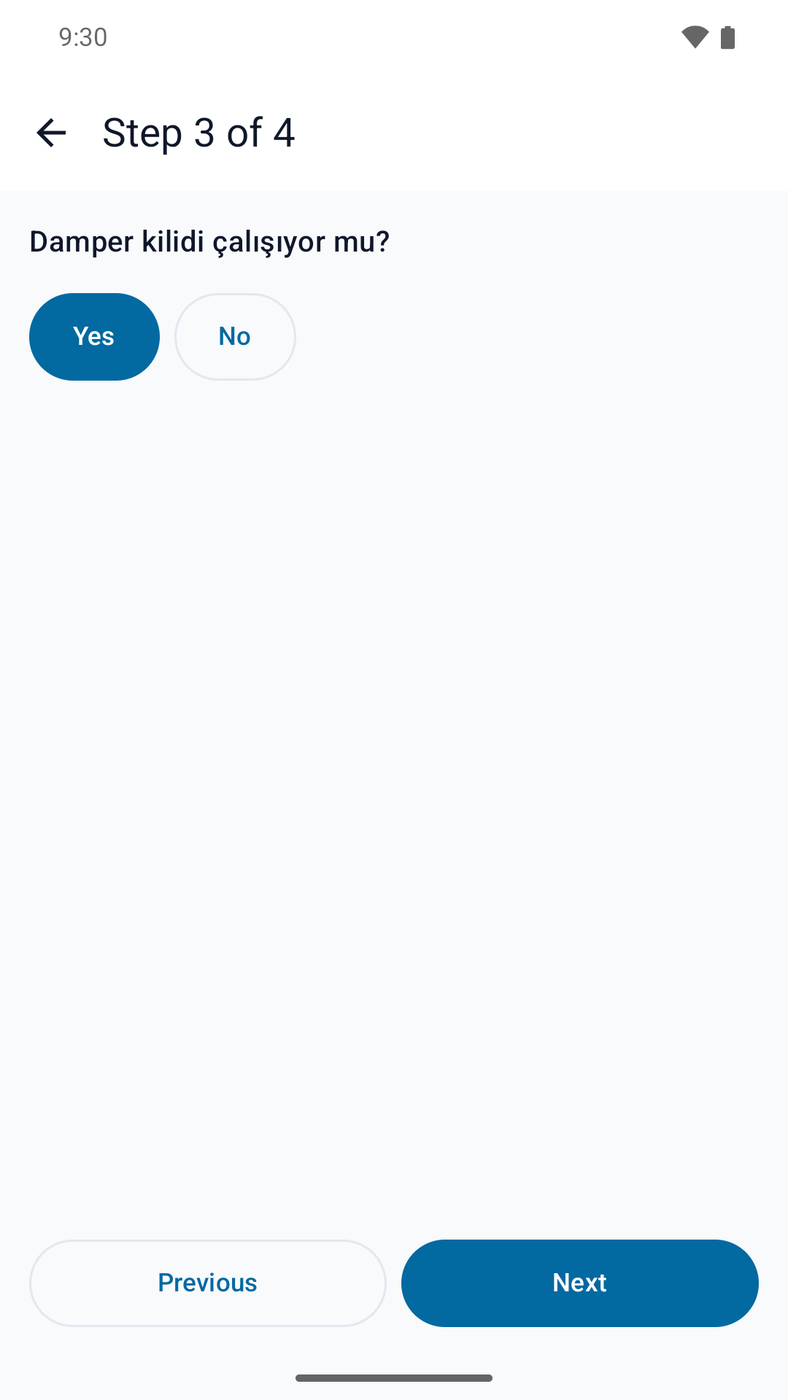
Every item on the template has to be answered. An item that demands photo evidence is not satisfied without one.
Hours or kilometres, in whichever unit the machine's category defines. The phone cannot override it.
One tap, or a rejection with a reason. If nobody answers, the request is escalated after an hour, and again after six.
Three screens carry this product: the operator's checklist, the manager's queue, and the machine's history.
Templates are built per machine category and versioned. A submitted response freezes the template as it stood, so editing the template later never rewrites what an operator actually answered.
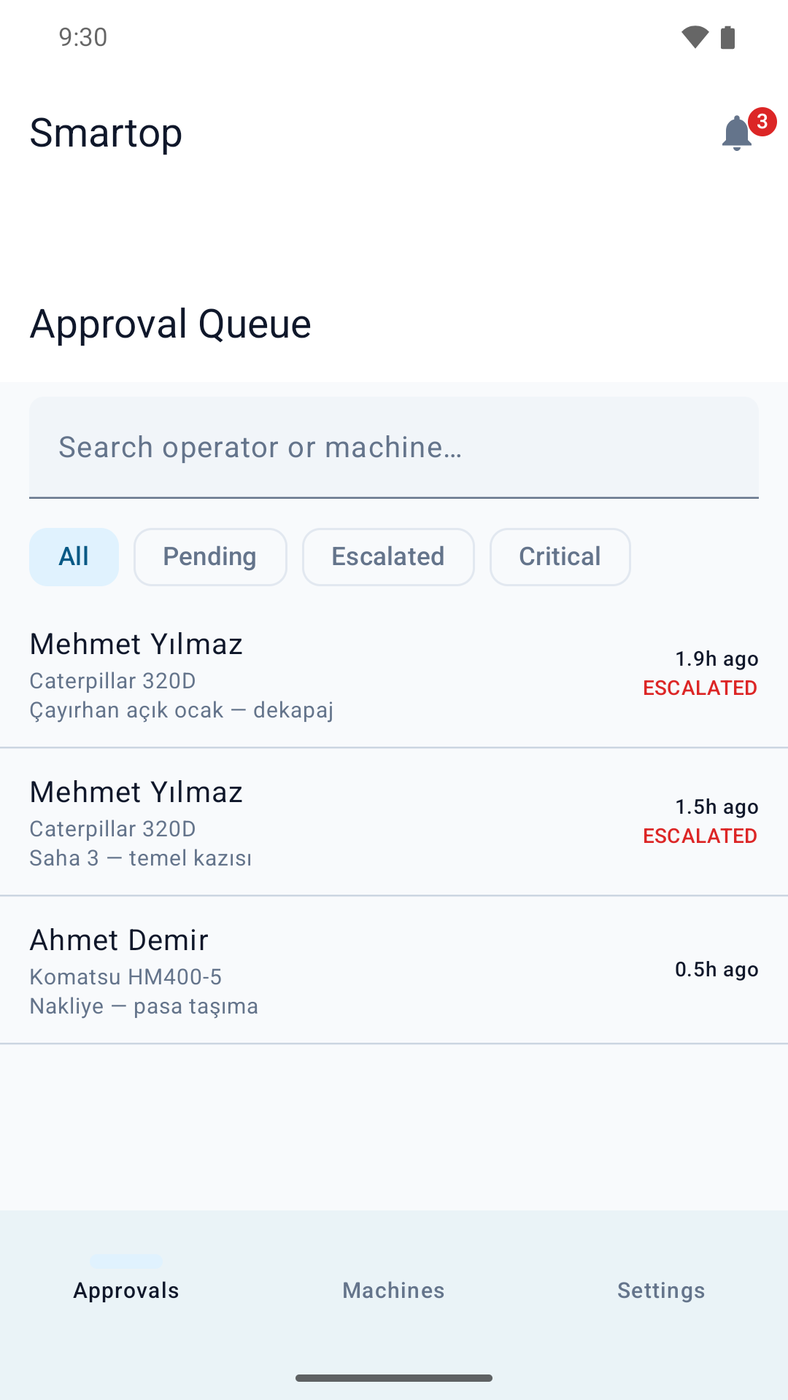
The manager sees the machine, the operator, the reading and how long the request has been waiting. An unanswered request notifies the company's next responsible contact after an hour, and Smartop operations after six.
250h
Every reading lands on the machine's own timeline. Threshold rules turn accumulated hours into maintenance tasks, so a 250-hour service appears by itself out of readings the operators were entering anyway.
0
Every change is written to a local outbox before anything is sent. The screen moves on at once and the phone syncs when it can. A conflict it cannot resolve is never dropped quietly — it is parked with a typed error and shown to the person.
Built because a fleet that only inspects machines is still missing half the job.
Models come from a shared registry; your machines are yours alone, identified by serial. A QR scan opens the right machine on the first try.
Assignment is blocked when the operator is not certified for that class of machine.
Raised by the operator at any time, independent of the checklist, and triaged by a manager.
One operator hands a running machine to another certified operator without stopping the work.
Thresholds per machine category — every 250 hours, every 10,000 kilometres — generating tasks from real readings.
Readings, approvals and damage reports export as CSV for insurance, compliance or your own accounting.
Hours per machine and per operator, approval lead time, and where the fleet's downtime actually sits.
An admin invites managers, a manager invites operators. Permissions follow the role, not a checkbox.
Move a machine to another company with an audit trail and an optional history snapshot.
Approval decisions, role changes, machine transfers and escalation events are written to an append-only log, chained with SHA-256 so that altering an earlier entry breaks every entry after it. The chain is checked daily.
Every company's data is scoped at the framework layer, not by a condition somebody has to remember to write. A query that forgets the company does not return somebody else's fleet — it does not run.
Operator names and checklist photographs are personal data. What is kept, for how long and who may read it is written down rather than assumed, and the policy is published with the product.
Read the privacy policyThe operator is outdoors in gloves. The manager is at a desk or in a truck. They are not the same product surface.
Android 8 and newer. Camera for QR identification and for checklist photo evidence, and a local database so the app works with the radio off.
The manager's console: checklist templates, works and assignments, machines, team, certifications, maintenance, damage and reports.
An iOS build is written and in test. It is not in the App Store yet, and this page will say so when it is.
How many machines, which categories, how many operators. That is enough to say whether Smartop fits and what it would cost.